general
AI Answers Show the Wrong Business Hours or Services: A Correction Workflow
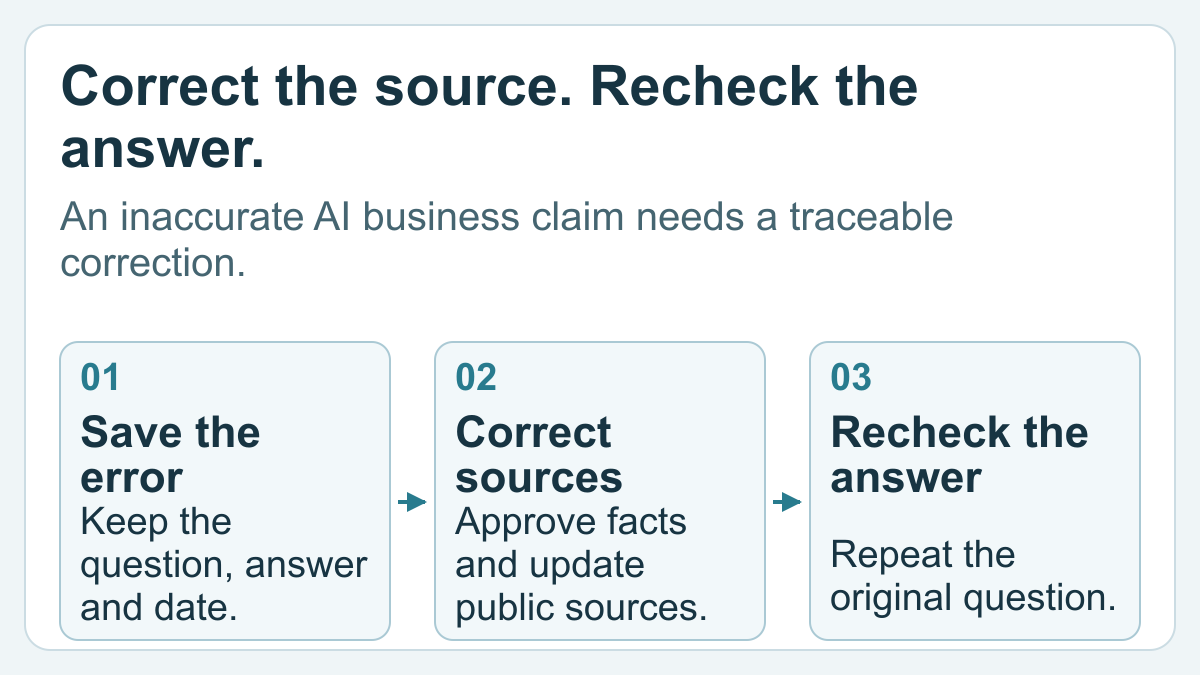
An illustrative problem: an assistant says a business accepts Sunday walk-ins, while the approved policy is appointment-only service with no Sunday opening. Publishing a general “why choose us” article misses the problem. The useful task is to establish the correct hours and booking rules, find conflicting sources, and remove the contradiction.
1. Save the claim before changing anything
Record the exact question and answer, the date, platform, language, and location supplied in the conversation. Note whether web search was used and save any visible citations. Capture the specific claim rather than recording only “the AI got us wrong.”
Useful incident descriptions include “wrong branch address,” “a service we do not provide,” and “holiday hours presented as regular hours.”
OpenAI's ChatGPT search guidance warns that search results and citations can be outdated, incomplete, or incorrect. Open the cited source: a nearby link may not actually support the sentence you are investigating.
Keep factual errors separate from changes in recommendation order. Our guide to different local-business recommendations addresses the measurement problem; this workflow addresses a specific inaccurate fact.
2. Create a small approved fact record
Get the correct information from the person responsible for operating the business. The website is not automatically the truth if its hours or service list are also stale.
Use the following approval record:
| Field | What the approver must establish |
|---|---|
| Location | Which branch, office, or actual service area is meant? |
| Regular hours | When is the business open, in its local time? |
| Exceptions | Do holidays, appointments, or individual services differ? |
| Service | What is offered, and what is explicitly excluded? |
| Booking | Is a walk-in, appointment, or preliminary assessment required? |
| Ownership | Who approved the fact and when will it be reviewed? |
Preserve distinctions customers rely on. “Same-day assessment may be available” does not mean “the work will be completed today.” “Serving a city” does not mean “we have a physical office there.” A translation must preserve those limits too.
The acceptance criterion is an approved factual statement, not whichever version appears most often across directories.
3. Trace the contradiction to a source
Compare the answer with the cited pages and the business's controlled surfaces: the location page, service page, footer, booking instructions, and business profiles. Check that each source describes the same entity and branch.
Classify the problem before assigning work:
- Your page is wrong: correct the factual content and its related fields.
- Your profile is wrong: the authorized profile manager owns the correction.
- An independent directory is wrong: submit an evidence-backed request to its operator.
- The cited source is correct but the answer is wrong: preserve the contradiction and use the platform's available feedback route.
- No supporting source is visible: label the cause unknown rather than inventing a source trail.
For several branches, keep separate fact records and source queues. The multi-location visibility workflow explains why one national description cannot stand in for every location's facts.
4. Correct the information people can actually read
Update the relevant public page with a clear statement. Remove contradictory wording from nearby service descriptions, translated pages, contact sections, and booking instructions. Record what changed and retain the previous version for comparison.
Google's Business Profile editing instructions distinguish main hours, service areas, and other profile information. Use the authorized account and the fields available for that business. A service offered outside your main opening hours may need a specific explanation rather than a blanket claim that the whole business is always open.
For holidays and short-lived exceptions, Google's special-hours guidance provides a separate mechanism from regular hours. Do not change the permanent schedule merely to describe one exceptional date.
If the page has structured data, check it against the visible information. Google's LocalBusiness documentation supports opening-hours details, while its general structured-data policies prohibit misleading or invisible claims. Markup should describe the corrected facts; it is not a command forcing an AI answer to repeat them.
5. Separate publication from discovery
Check the changed page at its public URL. Make sure an old menu, embedded widget, or PDF has not retained the contradictory statement. For external profiles, confirm that the approved edit became visible rather than treating a submitted request as a completed correction.
If you manage the website, you can ask Google to recrawl a changed URL. That request neither guarantees inclusion nor updates other platforms. You cannot use it to recrawl a directory you do not control.
When checking ChatGPT search access, keep crawling permissions separate from factual accuracy. Our GPTBot and OAI-SearchBot guide explains the difference. An accessible page can still be summarized incorrectly; a factual correction cannot help retrieval if the relevant page remains inaccessible.
6. Close the incident with evidence
Repeat the original question with the same explicit location and language. Save the new answer and inspect its sources. If another wording is tested, record it as a separate case rather than silently replacing the original question.
Use precise statuses: “owned page corrected,” “directory request pending,” “profile correction visible,” or “sampled answer still inaccurate.” A successful retest closes that observed case, not every possible question about the business.
Finish each incident with the approved fact, changed URLs, approver, unresolved sources, and next review date. That record makes future inconsistencies easier to diagnose without starting the investigation again.
FAQ
Can I fix a wrong AI answer just by editing my website?
Editing the website may resolve one inaccurate source, but the answer may cite another page or misinterpret correct information. Check the actual sources and repeat the original question. Keep the source change and the answer observation as separate evidence.
Should I change every profile to match the website?
First verify the underlying fact with the business owner. Then align the relevant controlled pages and profiles with that approved information. Do not spread a stale website error across other platforms or merge facts belonging to different branches.
How long should I wait for the correction to appear?
There is no universal AI-answer update deadline. Google states that its recrawling can take days to weeks, and a request is not an indexing guarantee. Record the correction date and follow-up observations rather than promising that all platforms refresh on a fixed schedule.
Will adding opening-hours schema guarantee a correct answer?
No. Accurate structured data can describe the same hours shown to visitors, but it does not guarantee a rich result, citation, or faithful summary. Fix the visible facts first and ensure any existing markup agrees with them.
What if a directory refuses to remove the incorrect information?
Retain the approved evidence and the correction request, mark the source unresolved, and make your own public explanation clear. Use the directory's available escalation process where appropriate. Do not claim control over its publication or the answer engine's source selection.